ShopDreamUp AI ArtDreamUp
Deviation Actions


Suggested Deviants


Suggested Collections


You Might Like…


Featured in Groups




Description
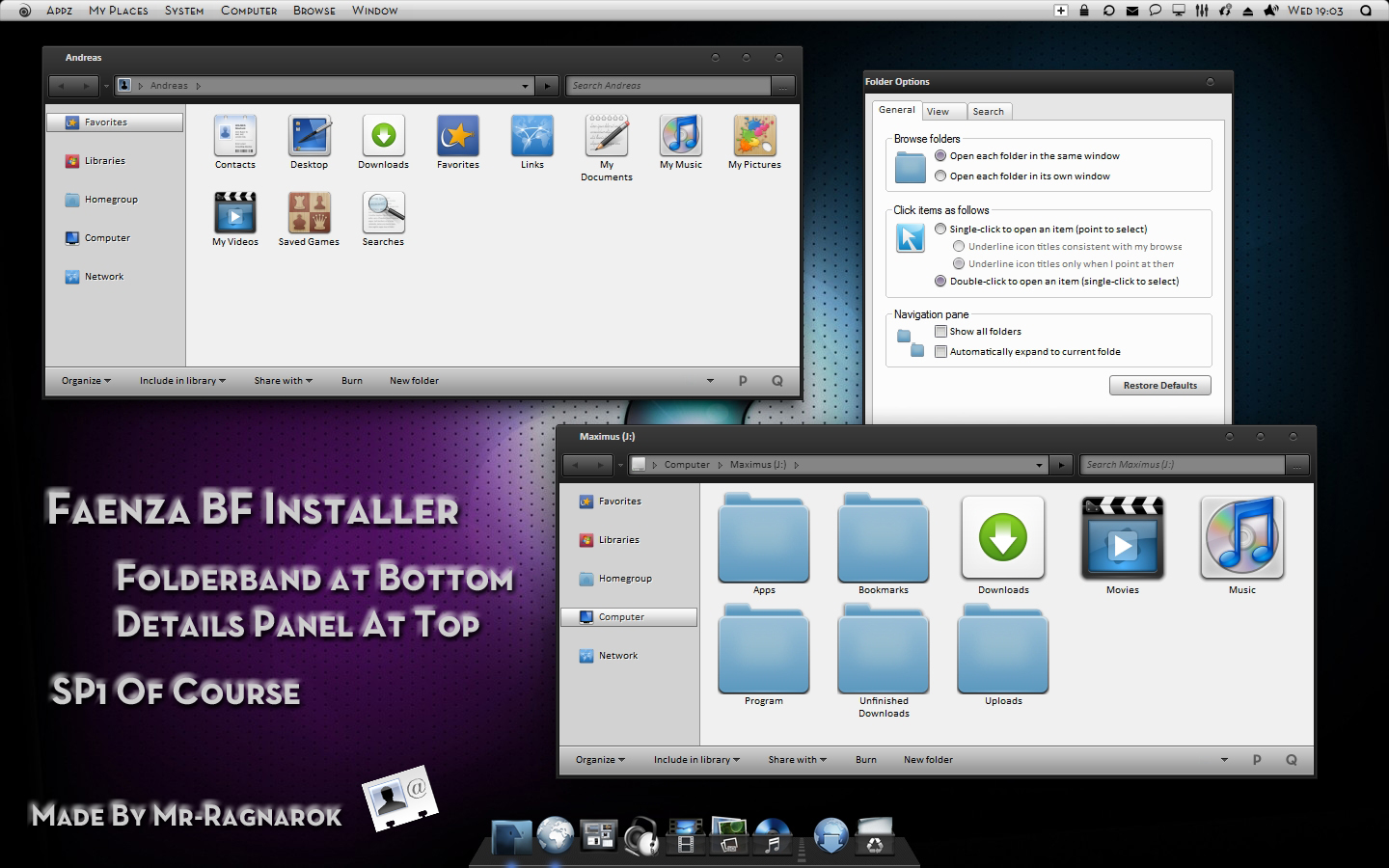
Faenza BF IconPack Installer
Download from here:
X86: [link]
X64: [link]
I recommend U to make proper backups before U begin. Its all explained inside the rar.
The installer is very detailed with all the little things (check out pin to taskbar).
It will also change the startup sound and logon screen.
I have killed the LiveFolders. U will have NO Thumbnail preview on folders. The Folderband is located at the bottom. The Detailspanel (not shown in screenshot) is located at the top.
I have no part in the icons.
Cred goes to:
FAENZA:
[link]
[link]
[link]
Logon Screen: [link]
Startup sound: [link]
There is also some other icos that i dont recall where i got them but they earn a lot of cred....
Please send me links to Ur screenshots. Would love to see the installers in action.
VS on Screenshot: Placebo for Windows 7 by ~SolMiler [link]
Taskbar on Screenshot is Objectbar with a modified theme
Dock is XWD of course
*Only for personal use*
Enjoy
Download from here:
X86: [link]
X64: [link]
I recommend U to make proper backups before U begin. Its all explained inside the rar.
The installer is very detailed with all the little things (check out pin to taskbar).
It will also change the startup sound and logon screen.
I have killed the LiveFolders. U will have NO Thumbnail preview on folders. The Folderband is located at the bottom. The Detailspanel (not shown in screenshot) is located at the top.
I have no part in the icons.
Cred goes to:
FAENZA:
[link]
[link]
[link]
Logon Screen: [link]
Startup sound: [link]
There is also some other icos that i dont recall where i got them but they earn a lot of cred....
Please send me links to Ur screenshots. Would love to see the installers in action.
VS on Screenshot: Placebo for Windows 7 by ~SolMiler [link]
Taskbar on Screenshot is Objectbar with a modified theme
Dock is XWD of course
*Only for personal use*
Enjoy
© 2011 - 2024 Mr-Ragnarok
Comments72
Join the community to add your comment. Already a deviant? Log In

is there a way to get this icons without the .dll messing up folderbands and all that crap (live folder, i can live without that), cause i just want an easy way to get pretty icons, but everytime i find something good, there's always a downside :\