ShopDreamUp AI ArtDreamUp
Deviation Actions


Suggested Deviants


Suggested Collections


You Might Like…



Description
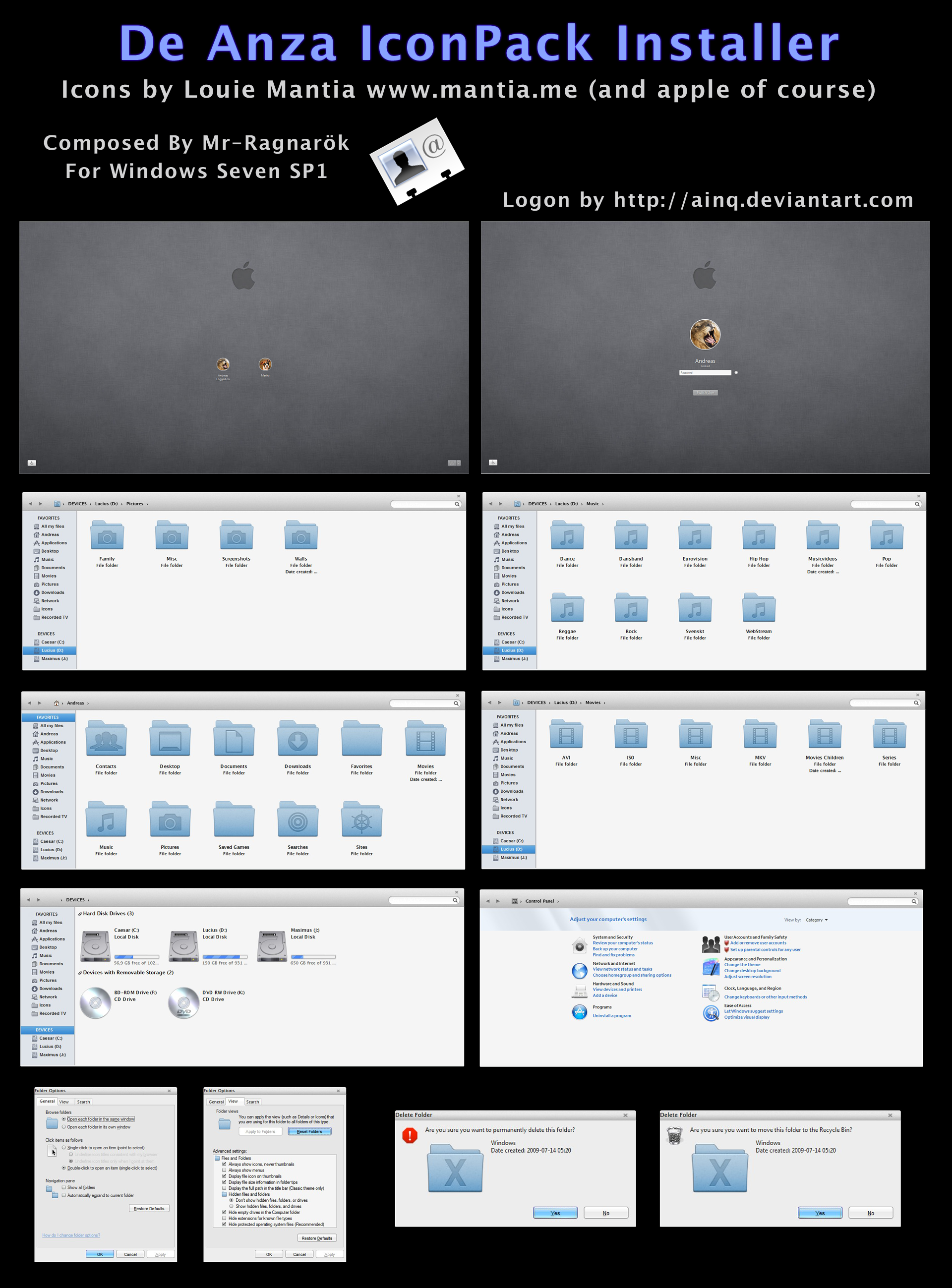
De Anza IconPack Installer
For Windows Seven Build 7601 (SP1)
This will come with blank 16px icons for navigationpanel icons (favorites and computer so U can get the real "mac look")
A BIG THANK YOU TO SONAAR [link] WHO SOLVED HOW TO TURN OFF LIVE FOLDERS [link]
Comes in all variations
-----------------------------------------------------------------------------
DOWNLOAD HERE:
Details pane at bottom and Folder band at top [link]
Details Pane at top and Folder band at bottom [link]
Details pane at top and NO Folder band [link]
Details pane at bottom and NO Folder band [link]
Details pane at right side and hidden Folder band [link] (Press ALT+P to enable/disable)
If U wanna support my work just follow this [link]
-----------------------------------------------------------------------------
I recommend U to make proper backups before U begin. Its all explained inside the rar.
DISABLE LIVE FOLDERS [link]
TroubleShooter: [link]
The installer is very detailed with all the little things (check out pin to taskbar).
It will also change the startup sound and logon screen.
Now the installer also will change the font folder and icons inside.
Cred for logon goes to ainq [link]
I have no part in the icons.
Cred goes to: Louie Mantia [link]
And to Apple of course
Please send me links to Ur screenshots. Would love to see the installers in action.
VS on screenshot is LionMnml [link] by Me
*Only for personal use*
Enjoy
For Windows Seven Build 7601 (SP1)
This will come with blank 16px icons for navigationpanel icons (favorites and computer so U can get the real "mac look")
A BIG THANK YOU TO SONAAR [link] WHO SOLVED HOW TO TURN OFF LIVE FOLDERS [link]
Comes in all variations
-----------------------------------------------------------------------------
DOWNLOAD HERE:
Details pane at bottom and Folder band at top [link]
Details Pane at top and Folder band at bottom [link]
Details pane at top and NO Folder band [link]
Details pane at bottom and NO Folder band [link]
Details pane at right side and hidden Folder band [link] (Press ALT+P to enable/disable)
If U wanna support my work just follow this [link]
-----------------------------------------------------------------------------
I recommend U to make proper backups before U begin. Its all explained inside the rar.
DISABLE LIVE FOLDERS [link]
TroubleShooter: [link]
The installer is very detailed with all the little things (check out pin to taskbar).
It will also change the startup sound and logon screen.
Now the installer also will change the font folder and icons inside.
Cred for logon goes to ainq [link]
I have no part in the icons.
Cred goes to: Louie Mantia [link]
And to Apple of course
Please send me links to Ur screenshots. Would love to see the installers in action.
VS on screenshot is LionMnml [link] by Me
*Only for personal use*
Enjoy
© 2012 - 2024 Mr-Ragnarok
Comments9
Join the community to add your comment. Already a deviant? Log In

<font><font>Que tal Mr-Primero Que Todos ESTAS súper el paquete de icono DeAnza v.3 IconPatcher por Mr-Ragnarok. Los que son instalables en Res. pero tengo cuando ya no los quiera tener instalado en el sistema como hago para unistaller </font></font>